How do I make sense of my wearable data?
Connect your source, check the dates, and ask what changed across a defined period. WellVue can summarize supported records alongside your logged context. Review the records behind the answer before acting on it.
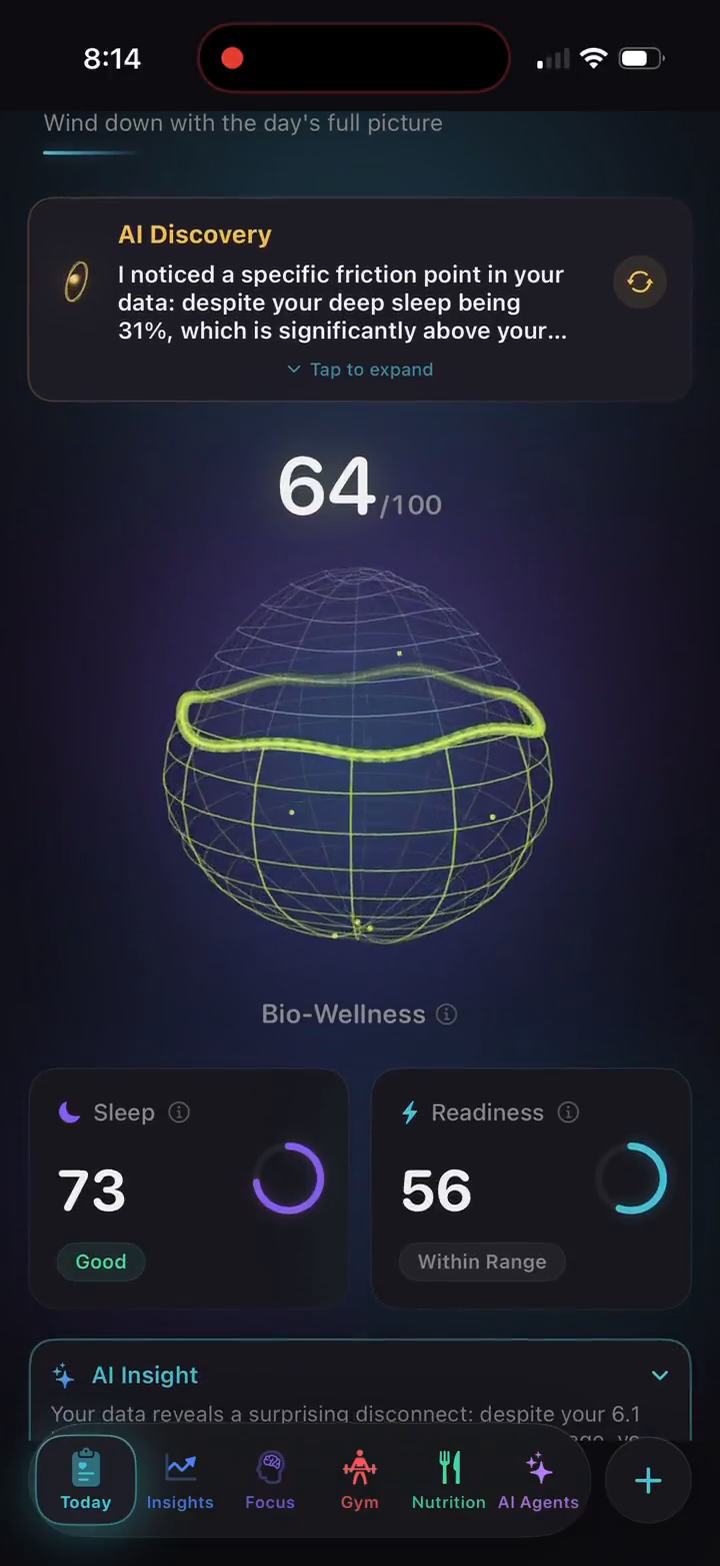
Why is my Oura or Apple Health data missing?
Check the source before interpreting an empty chart as a change in your body. Missing data can reflect device recording, sync timing, account access, or permissions.
- Look for the same date in the source app. If the night is missing from Oura or Health, WellVue cannot reconstruct it.
- Sync your ring in the Oura app. Oura recommends regular syncing; see Oura’s missing-sleep troubleshooting for battery, connection, and recording issues.
- Check Apple Health’s data sources and access. Confirm the relevant category contains records and WellVue has access. Apple explains how to inspect contributing sources.
- Review the connection in WellVue. Open Settings and Connected Devices, check available sync information, and refresh your data. Controls can vary by app version.
If records exist at the source but remain missing in WellVue, contact support with the device, app version, affected dates, and data category.
Apple Health, Oura, and WellVue: what does each do?
| Service | Its role | What to check |
|---|---|---|
| Apple Health | Stores and organizes records from your iPhone, compatible devices, and apps; also provides its own summaries and features. | Which source recorded a measurement and which apps can access it. |
| Oura | Syncs ring measurements and provides Oura’s own scores and insights. | Ring sync, supported measurements, and applicable account or membership requirements. |
| WellVue | Uses supported connected records with your meal, workout, and habit context; offers AI conversations and custom agents. | Data availability, permissions, and premium feature access. |
WellVue complements these sources. It does not replace ring hardware, Oura’s recording process, or Apple Health’s source controls.
Which devices work with WellVue?
WellVue supports Apple Health through HealthKit on iPhone and Oura Ring through the official Oura cloud API. Apple Watch measurements that are recorded in Apple Health can reach WellVue through the Apple Health connection.
This distinction matters when choosing an app: Apple Watch support through HealthKit does not mean every watch has a direct integration. Other direct smartwatch and fitness-band integrations are listed as coming soon. Check the support FAQs before assuming a specific device or metric will work.
What can I do with Apple Health data?
Apple Health is a place where compatible devices and apps record health information. With your permission, WellVue uses available categories such as sleep, heart rate, heart rate variability (HRV), activity, and workouts to build a wellness overview.
Use that context to review a night of sleep, reflect on training and recovery, or ask about a trend. Add your own meals and habit logs to connect recorded measurements with what happened during your day. Available insights depend on the categories you share and the history your devices actually record.
What does the Oura Ring connection add?
Connect your Oura account to bring supported ring data into WellVue through Oura’s official cloud API. The ring remains the source of its measurements; WellVue provides another way to explore those signals alongside nutrition, workouts, habits, and AI conversations.
For example, you can review sleep and recovery trends and then ask an agent to summarize what changed across your recorded days. WellVue does not replace the Oura account or the ring’s data collection. Provider account requirements and the measurements available from your device still apply.
How do I start using my data?
- Download WellVue for iPhone. Open the App Store listing to check current compatibility and subscription details.
- Choose Apple Health or Oura. Connect your selected source and review the permissions shown in the app.
- Look at your available history. Start with a sleep or daily wellness view before drawing conclusions from a single reading.
- Ask a specific question. Try “Summarize my sleep over the last week” or “What changes appear alongside my recent workouts?”
- Add context. Keep meal, workout, and habit entries so future reviews have more than sensor values alone.
Can I use WellVue without buying a wearable?
Yes. WellVue can run with Apple Health on an iPhone, and its Demo Mode lets you explore the experience with clearly labeled sample data. The orange “SAMPLE DATA” badge distinguishes the demo from your own records.
An iPhone alone does not capture every overnight biometric signal. If a view needs sleep stages or overnight HRV that your data source does not provide, those insights will be limited. Explore the product guide to understand the app before deciding whether additional hardware fits your needs.
Who controls the connection and data?
You choose the permissions granted to Apple Health and authorize the Oura connection. You can revoke access through the relevant provider controls. WellVue also offers account data export and deletion controls described in its privacy policy.
AI features use a cloud AI service to process relevant context. Read the policy for the data involved, service providers, and retention details. These are general wellness insights, not diagnoses or medical recommendations.
Next: explore sleep, HRV, and recovery workflows, or ask the support team about your device.
Bring your daily signals together.
Explore WellVue and review current compatibility, subscriptions, and regional availability on the App Store.
View WellVue on the App Store